The Arcona OS ecosystem

Two specialised systems.
One operational ecosystem.

Arcona OS adapts to the institution it serves. Academy OS structures teaching and learning. Organisation OS structures people, knowledge and operational work.

One ecosystem, two operating contexts

Choose by the work
your people need to do.

01

For learning businesses

Arcona Academy OS

For tutoring programmes, training centres, professional academies and learning communities that need more structure than group chats can provide.

  • Owners and administrators
  • Teachers and students
  • Courses and batches
  • Classrooms and communication
View Academy pricing
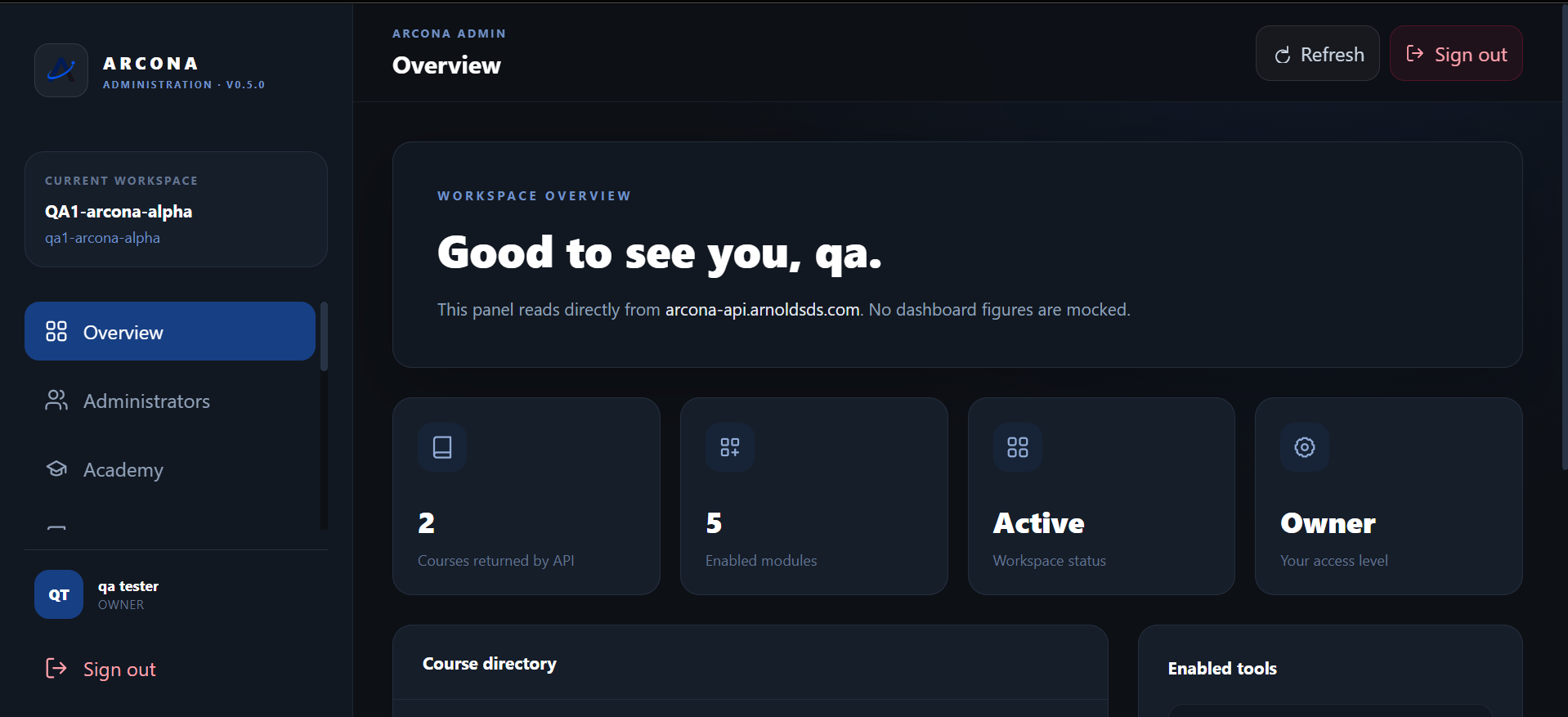
Arcona Academy OS administration overview
02

For growing teams

Arcona Organisation OS

For companies, NGOs and operational teams that want people, internal learning, records and shared work to remain connected.

  • People and role structure
  • Internal learning
  • Operational records
  • Connected team activity
Discuss Organisation
ARCONA ORGANISATION OSConnected operations

Arcona Academy OS

From academy setup to the classroom.

One operating structure connects administration, course delivery, teachers, students and the mobile experience.

01

Workspace administration

Create the academy, manage administrators, register people and control the structure behind learning.

02

Courses and batches

Publish shared course material while assigning students and teachers to the correct batches.

03

Classroom delivery

Keep onboarding, scheme of work, classwork, discussions, live sessions and notes in context.

04

Communication

Send announcements, direct messages and account notifications through connected role experiences.

05

Schedules and meetings

Publish live classes, meetings, reminders and deadlines for the correct course and batch.

06

Android access

Help teachers and students continue from their phones when a laptop is not the practical option.

One Academy, focused experiences

Each role sees the view
built for its responsibility.

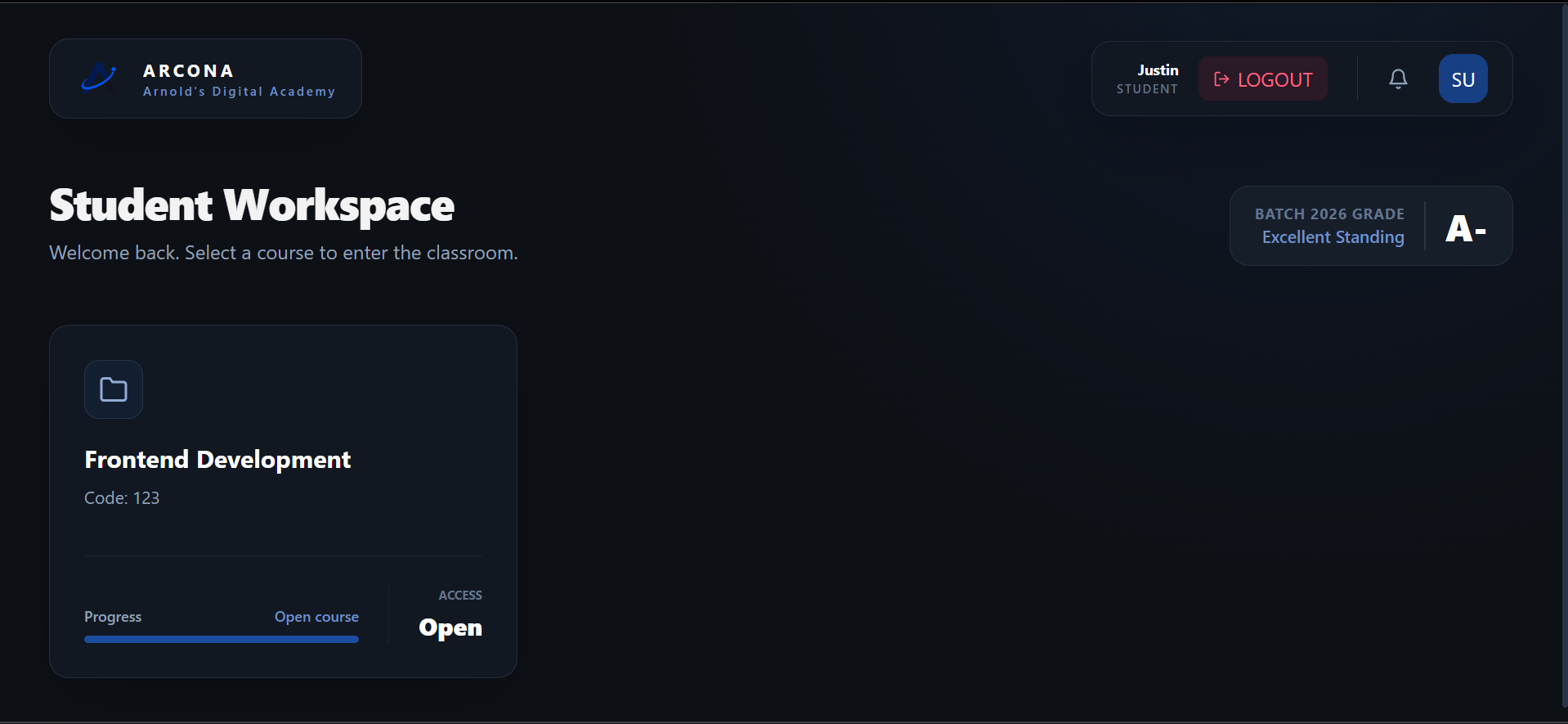
Arcona Academy OS student workspace
STUDENT

Assigned learning without the clutter.

Students see their courses and continue into the batch selected by the academy.

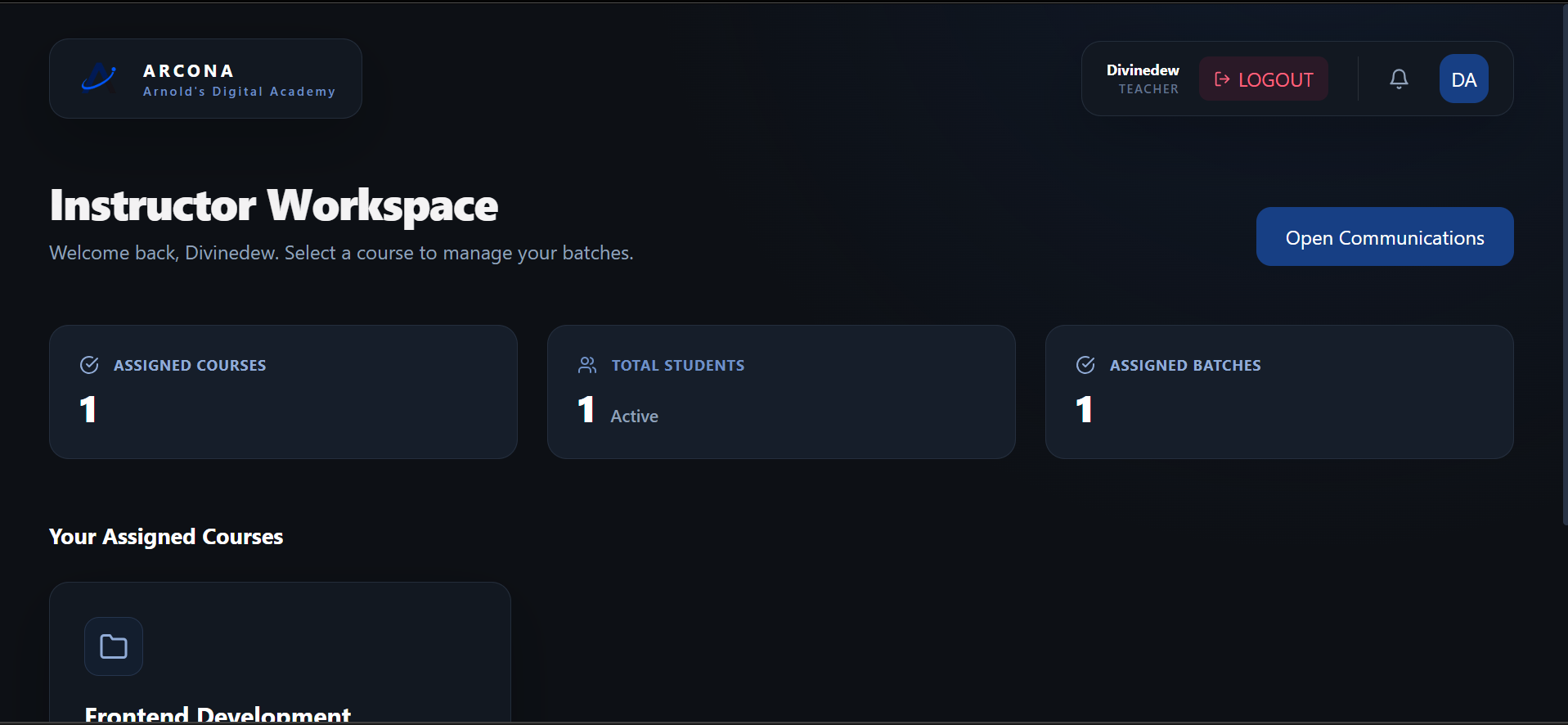
Arcona Academy OS teacher workspace
TEACHER

Courses, batches and learners.

Teachers begin with the work assigned to them.

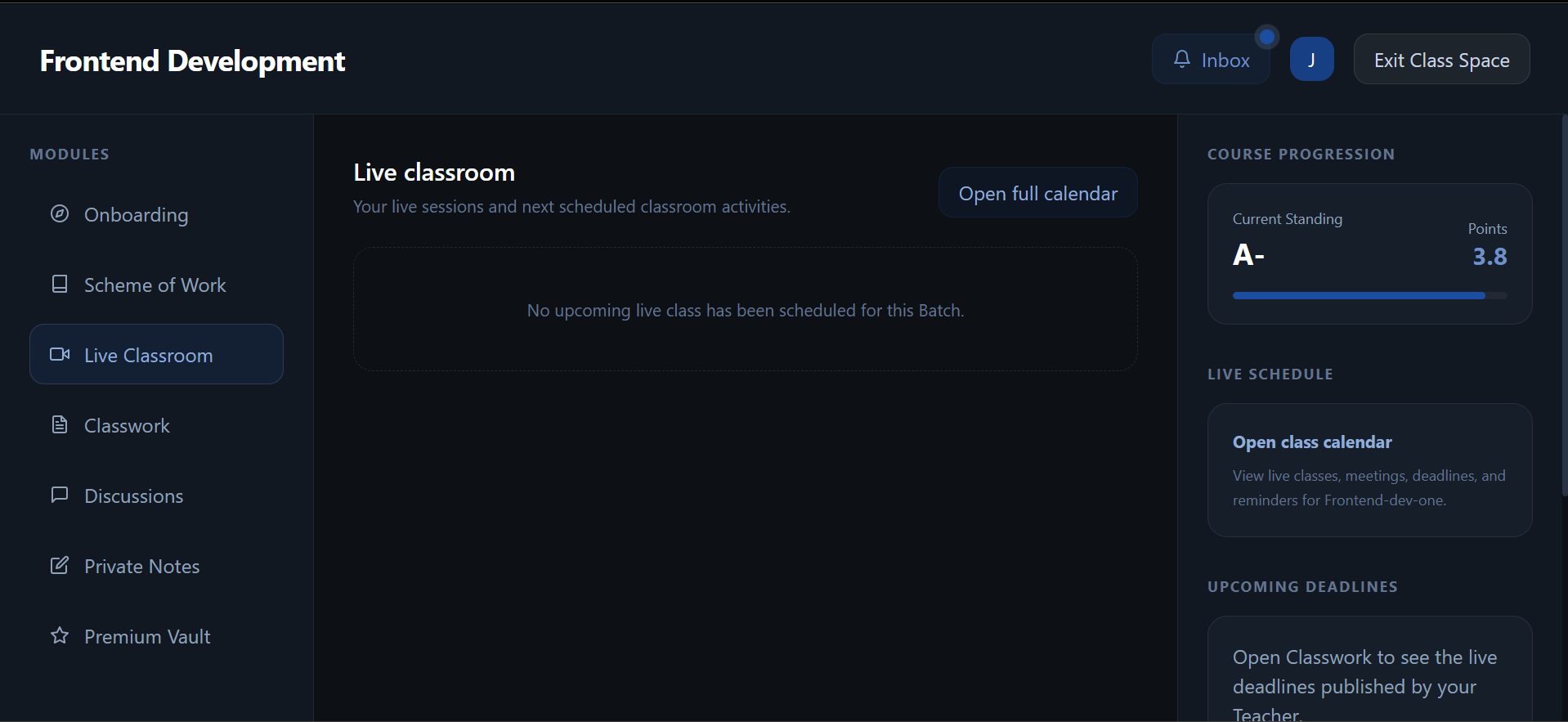
Arcona Academy OS live classroom
CLASSROOM

Learning stays in context.

Material, activity and live sessions remain connected.

Arcona Organisation OS

Give a growing team one dependable operating view.

Organisation is designed around the connection between people, access, knowledge and operational records. The interface can expand by module without forcing every team into the same workflow.

Talk to us about Organisation
01Workspace overviewAccess, activity and enabled modules
02PeopleRoles, teams and directories
03RecordsStructured operational information

Access and ownership

Arcona OS starts before the login screen.

The ADS customer portal and Arcona OS workspaces have different jobs, but they form one clear customer journey.

  1. 01

    ADS customer account

    The customer owns product purchases, payment references and licences from the portal.

  2. 02

    Arcona OS workspace

    The verified licence establishes the selected Academy OS workspace and its main administrator.

  3. 03

    Role access

    Administrators, teachers and students sign in to the view designed for their responsibilities.

Arcona OS

Smarter · Connected · All in one

See the right Arcona OS system
for your people.

Request an Academy demonstration or tell us how your organisation currently manages people, learning and operations.